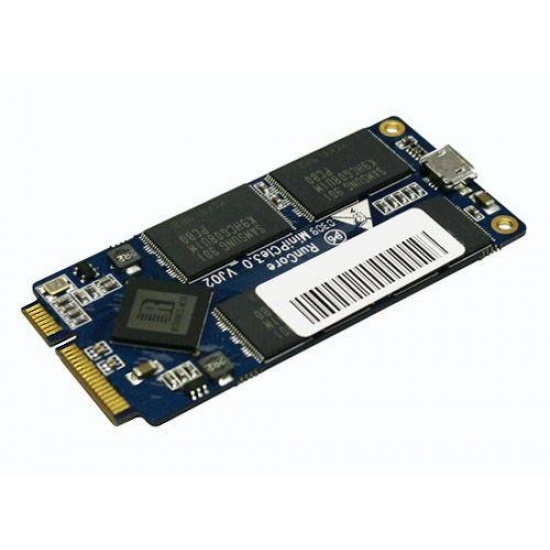
16GB RunCore SATA 70mm Mini PCI-e PCIe SSD for ASUS EEE PC 900, 900A, 901 and S101 by RunCore
- 20 reviews
- Item Number: 11341
- Part Number: RCP-I-S7016-C
No longer available. See alternative options
Key Features
- 16GB SSD PCI-Express for ASUS EEE PC (900, 900A, 901 and S101)
- Transfer rates up to 125MB/sec (read) and 55MB/sec (write)
- 2 years warranty
See product description
Similar Products
-
 1TB Transcend M.2 2280 PCIe Gen4 x4 NVMe SSD 240S
IN STOCK
$ 243.68 -
 256GB Team Group T-Force Vulcan Z 2.5 Inch Serial ATA III 3D NAND Internal Solid State Drive
IN STOCK
$ 60.85 -
 1TB PNY CS1030 M.2 NVMe Internal SSD
IN STOCK
$ 187.38 -
 1TB Kingston Technology KC3000 M.2 PCI Express 4.0 Solid State Drive
IN STOCK
$ 274.61 -
 512GB Kingston Technology KC3000 M.2 PCI Express 4.0 Solid State Drive
IN STOCK
$ 247.53 -
 250GB PNY CS1030 M.2 NVMe Internal SSD
IN STOCK
$ 82.41 -
 960GB Axiom 2.5Inch SAS V-NAND TLC Internal Solid State Drive
IN STOCK
$ 2,142.42 -
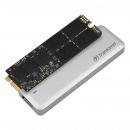 480GB Transcend JetDrive 725 for MacBook Pro (Retina) 15-inch Mid 2012 to Early 2013
IN STOCK
$ 242.08 -
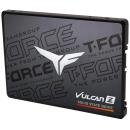 512GB Team Group T-FORCE VULCAN Z 2.5 Inch Serial ATA III 3D NAND Internal Solid State Drive
IN STOCK
$ 107.01 -
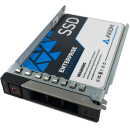 3.84TB Axiom Enterprise Pro EP650 2.5Inch SFF Internal Solid State Drive
IN STOCK
$ 5,365.60 -
500GB Transcend M.2 2280 PCIe Gen4 x4 NVMe SSD 240S
IN STOCK
$ 186.66 -
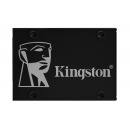 1TB Kingston KC600 2.5-inch Serial ATA III Internal Solid State Drive
IN STOCK
$ 356.40 -
 2TB Kingston Technology FURY Renegade M.2 PCI Express 4.0 Solid State Drive
IN STOCK
$ 448.84
Details
Transform your ASUS EEE PC a brand new computer with RunCore Mini PCI-e SSDs!
The RunCore Mini PCI-e SSD will make your computer approximately 4X-6X faster and turns any compatible computer into a viable solution for many personal, business, industrial, or military computing applications.
The PCI Express Mini Card format has become the ideal choice for storage media of the ultra-mobile PC. With its small footprint and industry- standard design, the mPCIe format is an ideal fit for embedded solid state storage because it allows for high capacities and high performance while ensuring compatibility in ultra-mobile applications. The product is compliant with ATA and supports Windows9X/Me/NT/XP/CE/Vista, MAC, Linux and Unix.
The key points: • Bad block management and wear leveling algorithms dramatically enhance flash memory endurance
• Power-down data protection ensures data integrity in case of power loss
• The rugged industrial design combined with temperature testing and adherence to rigid standards has resulted in the highest reliability and performance, tolerance to shock.
RunCore SSD also features an onboard Slave Micro USB Port and Master capabilities!
Micro USB Slave:
This feature allows owners to use their mini PCI-E SSD as a USB Drive. You can now preload your RunCore drive with your current HDD via any cloning or ghosting program. We highly recommend the free trial of Acronis True Image Software as this will save you a considerable amount of time and trouble instead of installing a new OS and all the applicable drivers.
Micro USB Master:
The RunCore SSD also supports a Master USB Bus. Master USB is not included but RunCore does offer users the ability to solder their own. Soldering the drive will void the current 2 year warranty.
Attention: Only Asus S101 users will be able to take advantage of the USB cloning feature.
Asus 900 and 900A users will not be able to utilize this feature, because the existing OS is set up for PATA not SATA bus, and will need a clean install of the OS. This upgrade is for customers who have previous experience in installing an OS or those who are willing to learn and want to do it for the first time.
Note, users of the ASUS EEE 901 must have the latest firmware version in order to use this product.
The RunCore Mini PCI-e SSD will make your computer approximately 4X-6X faster and turns any compatible computer into a viable solution for many personal, business, industrial, or military computing applications.
The PCI Express Mini Card format has become the ideal choice for storage media of the ultra-mobile PC. With its small footprint and industry- standard design, the mPCIe format is an ideal fit for embedded solid state storage because it allows for high capacities and high performance while ensuring compatibility in ultra-mobile applications. The product is compliant with ATA and supports Windows9X/Me/NT/XP/CE/Vista, MAC, Linux and Unix.
The key points: • Bad block management and wear leveling algorithms dramatically enhance flash memory endurance
• Power-down data protection ensures data integrity in case of power loss
• The rugged industrial design combined with temperature testing and adherence to rigid standards has resulted in the highest reliability and performance, tolerance to shock.
RunCore SSD also features an onboard Slave Micro USB Port and Master capabilities!
Micro USB Slave:
This feature allows owners to use their mini PCI-E SSD as a USB Drive. You can now preload your RunCore drive with your current HDD via any cloning or ghosting program. We highly recommend the free trial of Acronis True Image Software as this will save you a considerable amount of time and trouble instead of installing a new OS and all the applicable drivers.
Micro USB Master:
The RunCore SSD also supports a Master USB Bus. Master USB is not included but RunCore does offer users the ability to solder their own. Soldering the drive will void the current 2 year warranty.
Attention: Only Asus S101 users will be able to take advantage of the USB cloning feature.
Asus 900 and 900A users will not be able to utilize this feature, because the existing OS is set up for PATA not SATA bus, and will need a clean install of the OS. This upgrade is for customers who have previous experience in installing an OS or those who are willing to learn and want to do it for the first time.
Note, users of the ASUS EEE 901 must have the latest firmware version in order to use this product.
Specifications
| CAPACITY | 16GB |
| INTERFACE TYPE | Mini PCI Express |
| DEVICE TYPE | SSD Solid State Disk |
| DATA TRANSFER RATES | Sustain Read Speed up to 125MB/s Sustain Write Speed up to 55MB/s |
| FLASH STORAGE DETAILS | SSD Flash memory |
| OPERATING TEMPERATURE | 0C to 70C |
| SPECIAL FEATURES | Built-in ECC RoHS Compliant |
| SYSTEM REQUIREMENTS | Supports Windows9X/Me/NT/XP/CE/Vista, MAC, Linux and Unix. |
| DIMENSIONS | Length: 25.70 ± 0.10 mm Width: 70 ± 0.10 mm (2.006 ± 0.004 in) Height: 3.50 (0.138) max |
| WEIGHT | 10g |
| PACKAGING | Retail packaging |
| WARRANTY | 2 years replacement warranty |
User Reviews
- 9 reviews
- 7 reviews
- 2 reviews
- 1 review
- 1 review
Anonymous
16Gb runcore SSD on eeepc 901
May 17th 2010 Verified user
USB is very usefull for SSD cloning.
This SSD uses the same flash memory as Asus SSD.
However, throughput is better and my eeepc doesn't suffer from lag anymore.
This SSD uses the same flash memory as Asus SSD.
However, throughput is better and my eeepc doesn't suffer from lag anymore.
Review of 16GB RunCore SATA 70mm Mini PCI-e PCIe SSD for ASUS EEE PC 900, 900A, 901 and S101
Anonymous
Fantastic!
April 30th 2010 Verified user
Bought for a friend who fired his SSD on Asus EEE 900. After failing to install the software on it, I nearly gave up. Then I updated the EEE's BIOS and bam! it worked like a charm. Great item and excellent service from memoryc. My most trusted memory retailer specialist. Thanks.
Review of 16GB RunCore SATA 70mm Mini PCI-e PCIe SSD for ASUS EEE PC 900, 900A, 901 and S101
Matthew Longmuir
Windows 7
April 20th 2010 Verified user
If your upgrading to windows 7 then this is a must have comes with every you need even the right screwdriver to open the case of the netbook brill product
Review of 16GB RunCore SATA 70mm Mini PCI-e PCIe SSD for ASUS EEE PC 900, 900A, 901 and S101
Marco Coan
16GB RunCore SATA 70mm
April 12th 2010 Verified user
I bought this ssd due to the lack of performances of the default one on my eeepc 900A. Now my eeepc flies! Highly recommended!
Review of 16GB RunCore SATA 70mm Mini PCI-e PCIe SSD for ASUS EEE PC 900, 900A, 901 and S101
Frans Jan Van Donselaar
pretty fast
August 22nd 2009 Verified user
If you want to watch hd youtube full screen, start your eeepc faster and you you hate 'low disk space' warnings when installing Windows 7 on a 4gb SSD (eeepc 901), BUY THIS!! You just have no choice.
Review of 16GB RunCore SATA 70mm Mini PCI-e PCIe SSD for ASUS EEE PC 900, 900A, 901 and S101
Gregory Sykes
eee pc 901 - ssd additon
August 17th 2009 Verified user
straight forward to install, and works flawlessly
Review of 16GB RunCore SATA 70mm Mini PCI-e PCIe SSD for ASUS EEE PC 900, 900A, 901 and S101
Anonymous
ASUS PC901 Update
July 19th 2009 Verified user
I ordered a Runcorn 16GB SATA PCIe SSD card to replace the 8G SSD card in my EEE PC901 that had failed. It works fine, straight out of the box with no messing. I have loaded Windows XP onto the 16GB card with no problems. So happy all round.
Review of 16GB RunCore SATA 70mm Mini PCI-e PCIe SSD for ASUS EEE PC 900, 900A, 901 and S101
trevor butcher
900A not fit properly
June 26th 2009 Verified user
Was not able to mount using the two holes as they were not in correct place. this seems to be a manufacturing fault that has been known for some time however has not been rectified. if mounted using one screw will work but you have to guess which hole to use as only one will work. also the board is not perfectly straight shame really as the card is good. "A stupid Mistake By Runcore".
Review of 16GB RunCore SATA 70mm Mini PCI-e PCIe SSD for ASUS EEE PC 900, 900A, 901 and S101
Les Raisbeck
701SD Flies with this
June 21st 2009 Verified user
The Asus EEE PC 701SD is never going to be the fastest PC on the planet -but with one of these fitted I can be reading email less than a minute after pressing the power button. Difference is amazing. Easy to copy the old ssd by using the free copy of acronis which is pre installed on the runcore. Can't fault this kit or Memory C who dispatched promptly. Only word of warning is make sure your bios is up to date (apparently).
Review of 16GB RunCore SATA 70mm Mini PCI-e PCIe SSD for ASUS EEE PC 900, 900A, 901 and S101
Paul Halmshaw
Asus PC901 XP now a real computer !
June 10th 2009 Verified user
Was disappointed when I bought the PC901 last year. The performance was "sticky" at times. researched various web sites and tried moving directories from C: to D: using NTFS junctions but nothing worked, so last month decided to take a closer look at the problem. Running Windows PerfMon I found the av disk i/o was flatlining at maximum, cpu and paging were minimal. A bit of research found that av write for the 4GB SSD (drive c:) in the PC901 at 12 MB/sec, the 8GB drive even worse - problem identified. Upgraded the SSD to this little beauty - copied the c: partition to the RunCore using the on-board USB, a bit of fiddling with the registry to change d: references (find/replace tool useful here), a few installations - what a difference, superb performance now .
Review of 16GB RunCore SATA 70mm Mini PCI-e PCIe SSD for ASUS EEE PC 900, 900A, 901 and S101
Add your review