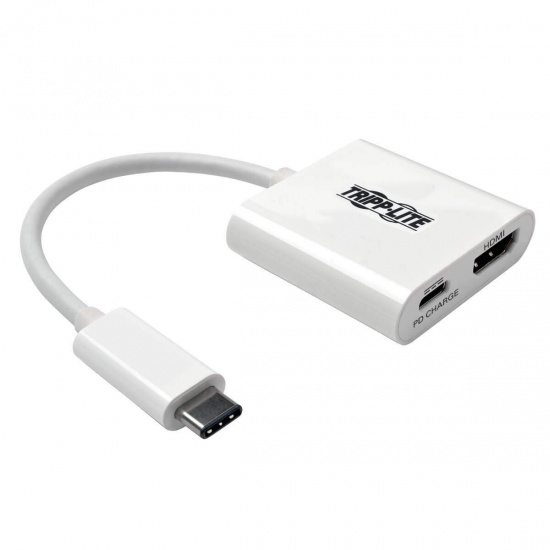
Tripp Lite U444-06N-H4-C USB Type C to HDMI External Video Adapter by Tripp Lite
- Be the first to review
- Item Number: 298-0039
- Part Number: U444-06N-H4-C
|
Ships in 7 days Free shipping to New York, NY! Free returns for any reason |
.png)
Key Features
- USB Type C to HDMI adapter
- Supports UHD video resolutions up to 3840 x 2160
- Plug-and-play—no software or drivers required
- Ideal for editing documents, giving presentations, watching movies, plus more
- Backed by a 1 years manufacturers warranty
See product description
Similar Products
-
 Iogear GMDPHD4KA Active Mini DisplayPort to HDMI Video and Audio Adapter
IN STOCK
$ 36.93 -
 C2G 8IN DisplayPort Male to HDMI Female Adapter - Black
IN STOCK
$ 29.91 -
 StarTech Mini DisplayPort to VGA Adapter - Black
IN STOCK
$ 18.80 -
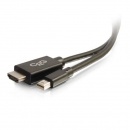 C2G 3FT Mini DisplayPort Male to HDMI Male Adapter Cable - Black
IN STOCK
$ 36.75 -
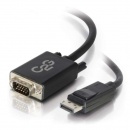 C2G 6FT DisplayPort Male to VGA Male Active Adapter Cable - Black
IN STOCK
$ 45.49 -
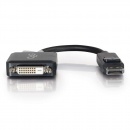 C2G DisplayPort Male To DVI-D Female Adapter
IN STOCK
$ 25.50 -
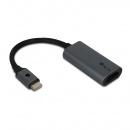 NGS USB-C To HDMI Adapter 4K Ultra HD Video Adapter
IN STOCK
$ 23.16 -
 StarTech USB3.0 Male To DisplayPort Female Adapter - Black
IN STOCK
$ 83.57 -
 StarTech 9.9IN DisplayPort Male To HDMI Female Adapter with HDR - Black
IN STOCK
$ 40.61 -
 StarTech USB Type-C Male To HDMI Or DisplayPort Female Video Adapter
IN STOCK
$ 59.10 -
 StarTech 10IN USB Type B Male To HDMI Female Adapter with USB Audio - Black
IN STOCK
$ 71.32 -
 StarTech USB3.0 Type-A Male to RJ45 Female Gigabit Ethernet Network Adapter
IN STOCK
$ 43.13 -
 StarTech HDMI to Mini DisplayPort Audio Video Adapter Converter
IN STOCK
$ 19.12 -
 C2G USB Type-C Male To HDMI Female External Video Adapter - Black
IN STOCK
$ 27.21 -
 Kensington CA1100E USB-C to Ethernet Adapter
IN STOCK
$ 32.10
Details
The U444-06N-H4-C USB 3.1 Gen 1 USB-C to HDMI DisplayPort Alternate Mode External Video Adapter supports USB DisplayPort Alternate Mode for displaying audio/video signals on an HDMI monitor, television or projector via your computer, laptop or tablet’s USB-C port. It’s an ideal tool for multitasking, editing documents, giving presentations at trade shows and conferences, or watching movies and playing video games.
No software, drivers or external power supply is needed. Connect the adapter’s USB-C male plug to the USB-C port on your device. Then, connect the adapter’s female HDMI port to a monitor using an HDMI cable (such as Tripp Lite’s P568-Series) to enjoy full HDMI video and audio. The U444-06N-H4-C supports Ultra High Definition (UHD) video resolutions up to 3840 x 2160 (4K x 2K) at 30 Hz.
The U444-06N-H4-C includes a USB-C Power Delivery (PD) charging port that supports power input up to 20V 3A (60W). The U444-06N-H4-C powers the device that it’s plugged into by connecting the charging port to a USB-C wall charger.
USB Type-C™ and USB-C™ are trademarks of USB Implementers Forum
Easy to Add a 4K HDMI Display
● Supports USB DisplayPort Alternate Mode for transmitting audio/video to an HDMI display via your computer, tablet, laptop or smartphone’s USB-C port
● Ideal for multitasking, viewing spreadsheet data, editing documents, giving presentations, and watching movies and playing video games
● Plug-and-play—no software, external power supply or drivers required
● Supports UHD video resolutions up to 3840 x 2160 (4K x 2K) @ 30 Hz
USB-C Power Delivery Port for Charging Portable Devices
● Supports power input up to 20V 3A (60W)
● Connects to USB-C wall charger to power connected devices
● Supports USB DisplayPort Alternate Mode for transmitting video
● Supports UHD video resolutions up to 3840 x 2160 (4K x 2K)
● USB-C Power Delivery (PD Charging) port connects to wall charger to power connected device
● PD Charging port supports power input up to 20V 3A (60W)
● Plug-and-play—no software or drivers required
System Requirements
● USB-C device that supports USB DisplayPort Alternate Mode
● HDMI-enabled display
Package Includes
● U444-06N-H4-C USB 3.1 Gen 1 USB-C to HDMI DisplayPort Alternate Mode External Video Adapter with USB-C PD Charging
● Owner’s manual
Specifications
| TYPE | USB Type C to HDMI adapter |
| CONNECTOR A | USB Type C |
| CONNECTOR B | HDMI |
| WARRANTY | 1 years manufacturers warranty |